Now viewing: Focus on… Managing your membership


Section 05
Focus on… Managing your membership
Take a look at the help and support on offer for Savings Trust members.





05
Take a look at the help and support on offer for Savings Trust members.
If you’re new to the Savings Trust, or you’ve been a member for a while and want to brush up on your knowledge, it’s well worth taking a look at our New Joiner Guide (opens in a new tab). This includes a 30-minute presentation from the Aviva Financial Education team that’ll teach you all of the basics.
These three websites allow you to review and make changes in respect of your membership.
A searchable self-help knowledge hub, covering all aspects of your Savings Trust membership while working at Rolls-Royce. You can access Employee Hub password-free from the Toolbox on the Engine Room homepage.
The Portal is the home of Rolls-Royce employee benefits. As a Savings Trust member, you can use this to manage the contributions you pay (both one-off and regular). Access the TotalReward Portal password-free from the Toolbox on the Engine Room homepage.
See the contributions paid by you and Rolls-Royce. Check out your fund value, get a retirement forecast, view your investments and much more. Access My Workplace through the TotalReward Portal Quick Links. Log into the TotalReward Portal password-free from the Toolbox on the Engine Room homepage.
See your Rolls-Royce employee benefits all in one place by checking out your TotalReward statement in the TotalReward Portal.
As well as showing you the total value of your benefits, you can download a PDF file of the statement, which is useful if you need to show institutions like your bank or mortgage provider details of your life assurance and income protection cover.
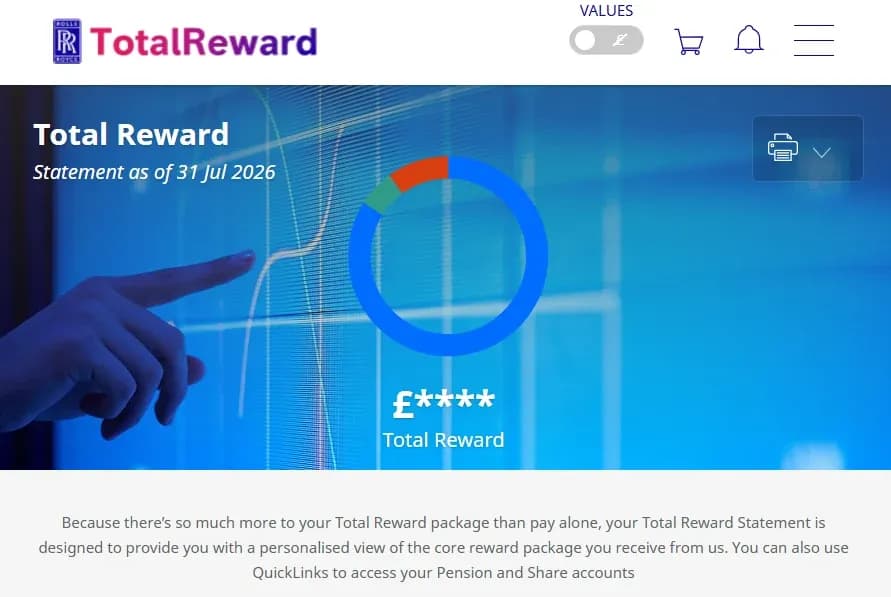
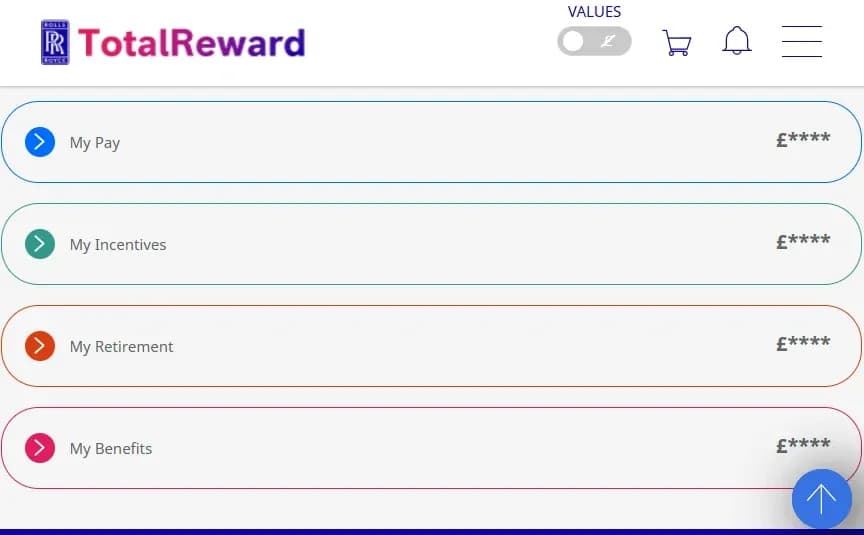
The TotalReward statement details your salary, incentive bonus, retirement savings, life cover, income protection benefit and any other benefits you’ve opted for.
Access the TotalReward Portal password-free from the Toolbox on the Engine Room homepage.
It’s a long way off, but the Government has announced its intention to cap the amount of pension contributions that can be made using salary sacrifice arrangements. At Rolls-Royce, we call this PaySave.
PaySave currently provides a saving on the national insurance that you would have paid if you paid your contributions in the traditional way. Right now, that’s 8% for a basic-rate taxpayer and 2% for a higher-rate taxpayer.
The new cap won’t affect members who pay a 6% contribution on pensionable earnings of around £33,000 a year, and anyone whose pensionable earnings are higher will still benefit from PaySave on the first £2,000 of contributions that they make. Importantly, these changes won’t affect the tax relief that’s currently given on pension contributions, which is 20% for basic-rate taxpayers, 40% for higher-rate taxpayers and 45% for additional-rate taxpayers.
It’s too early to say what will happen to PaySave pension contributions at Rolls-Royce, and in any event, that decision will need to be made by the Company and not the Trustee. In the meantime, PaySave continues as it does today.
Although you’re no longer contributing to the Savings Trust, you’re still a valued member of the scheme and have access to the MyAviva app and website, as well as the support of the Aviva administration team.
As Aviva are the Savings Trust’s administrator, they can help with all of your day-to-day requests in respect of your membership:
Just log on to MyAviva, send them an email or give them a call. You’ll find all the ways you can contact the Aviva team in the Help & Support section of this newsletter.